
From on-site cooking to digital ordering
A web-based system where employees can order lunch meals to be delivered to their office in advance. Four distinct sides with five user roles power this multi-sided B2B platform.
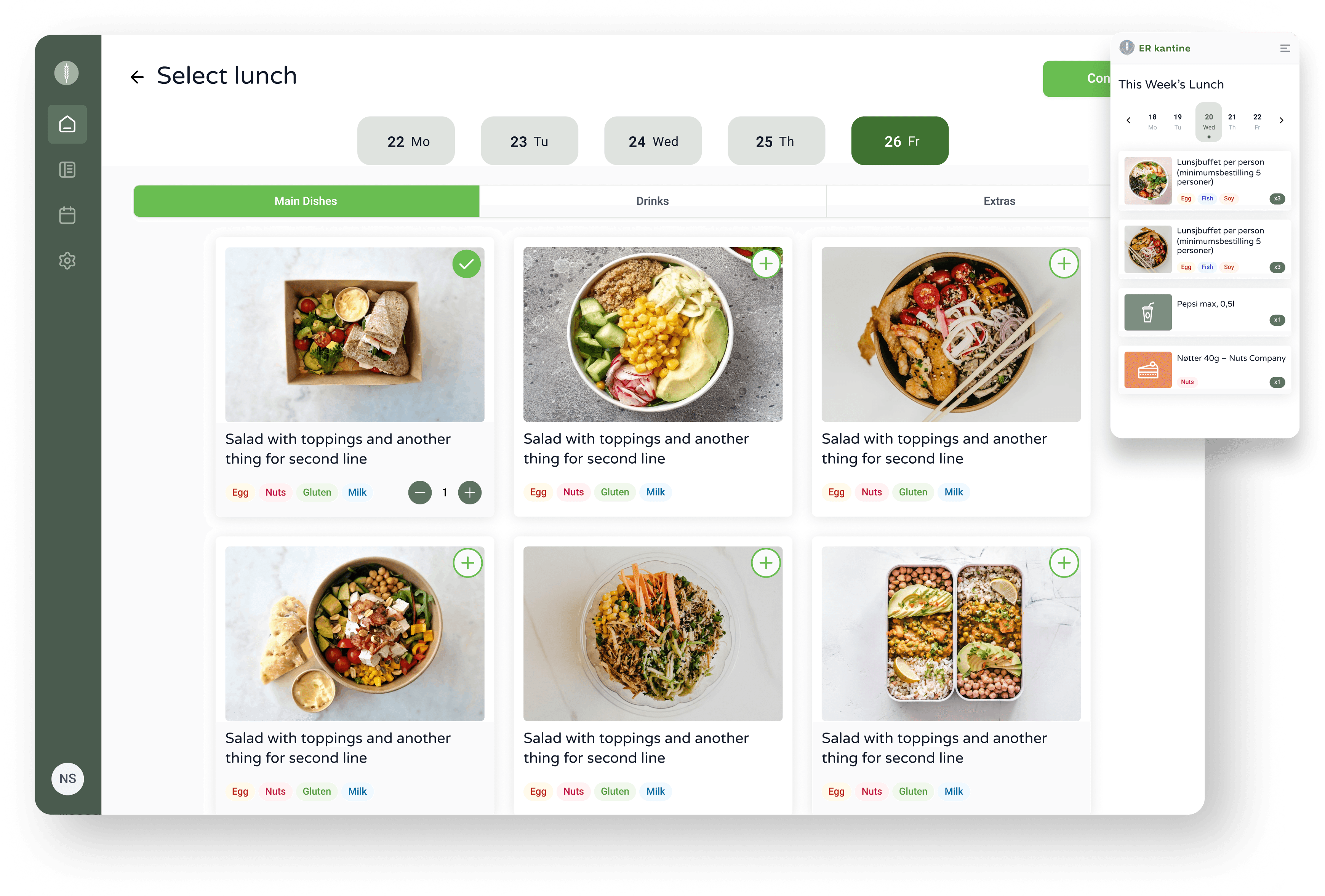
Key Features
- 4 Sides: Food Provider, Kitchens, Customer Companies and End Users
- 5 Different User Roles
- Food Scheduling Calendar
- Data Export to Excel and PDF
- Automatic Emails
- Scheduled Automatic Food Orders
Deliverables
- UX/UI Design
- Web App Development
Digitising a B2B Business
The client operates as a B2B lunch meal provider partnering with companies to streamline employee lunch ordering. Pre-COVID, cooks physically visited partner companies daily.
Post-pandemic restrictions and food delivery app competition required a business model transformation. The new approach involves remote ordering through centralized kitchens that prepare food one week in advance, with weekly deliveries to companies at lunchtime.
Simplifying the Experience for the End User
A multi-role web application enabling employees to order lunches one week ahead. The system features four distinct sides with five user roles: managing company, kitchen staff, client companies, and end users.
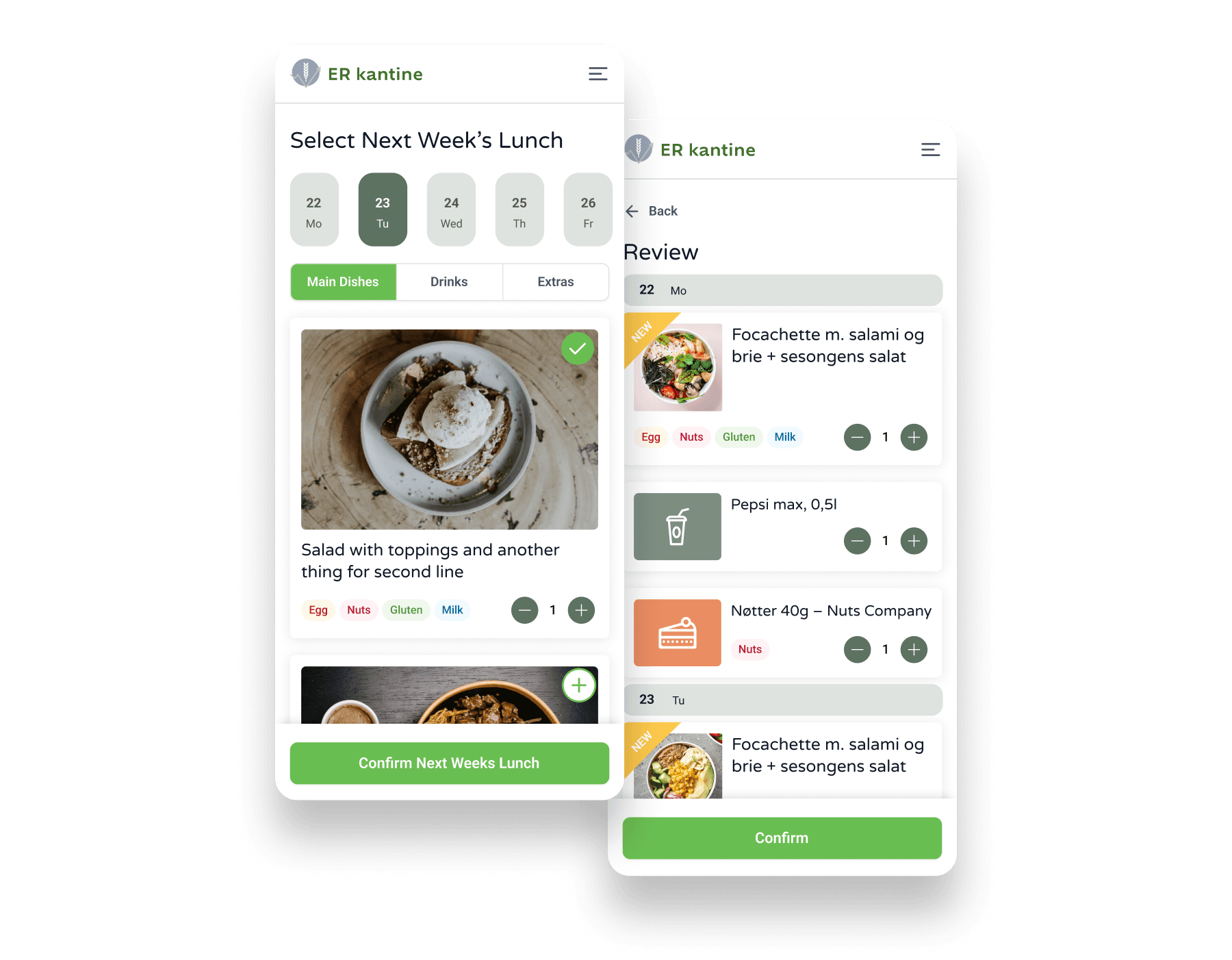
Desktop version for all roles with a dedicated mobile version for end users. Allergy tracking lets users specify allergies during signup, with meals prepared accordingly. Visual scheduling provides a weekly recap after day-by-day selection plus a calendar view.
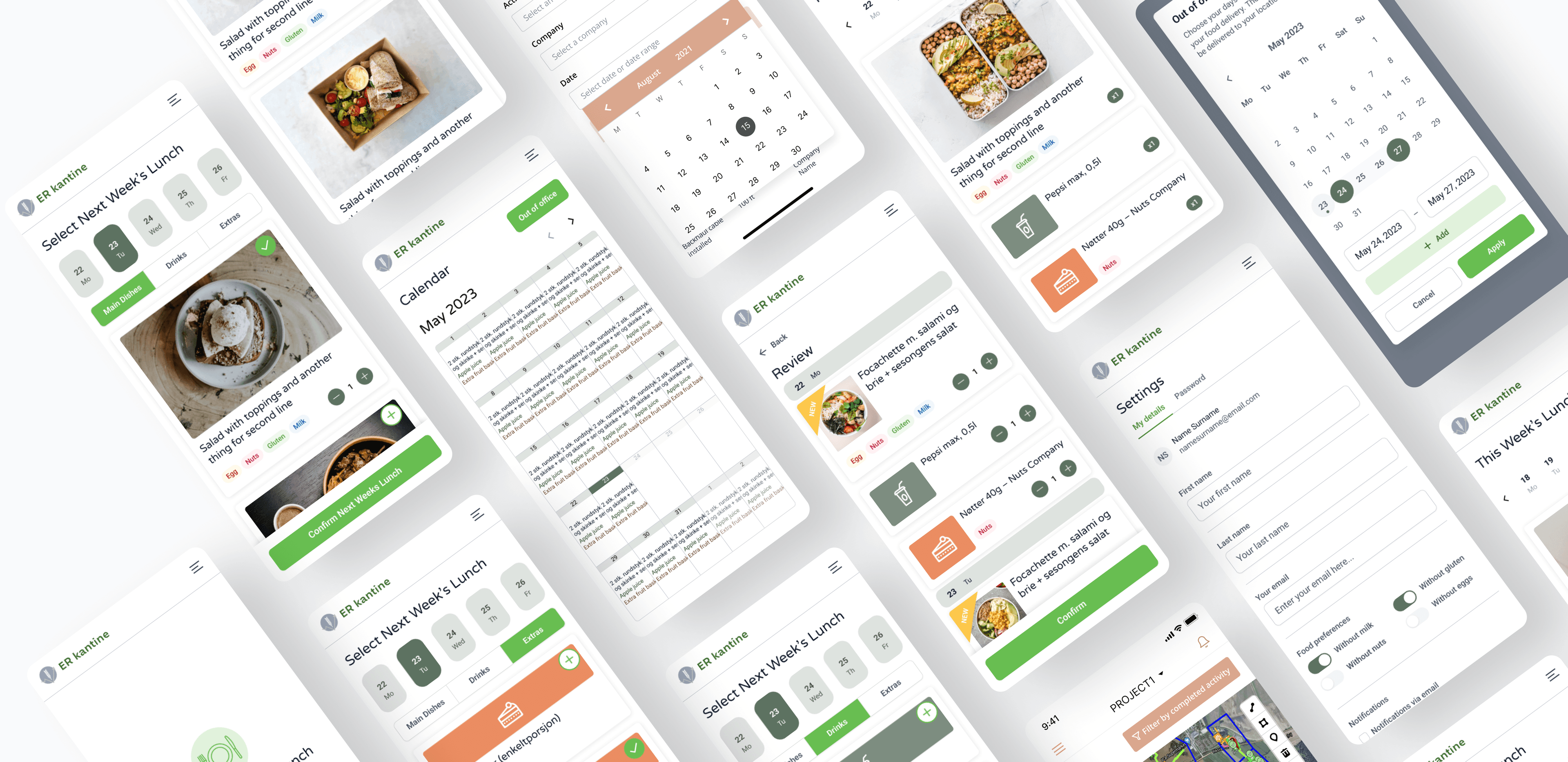
Platform Features
From meal scheduling to canteen management, the platform covers every step of the lunch ordering workflow.
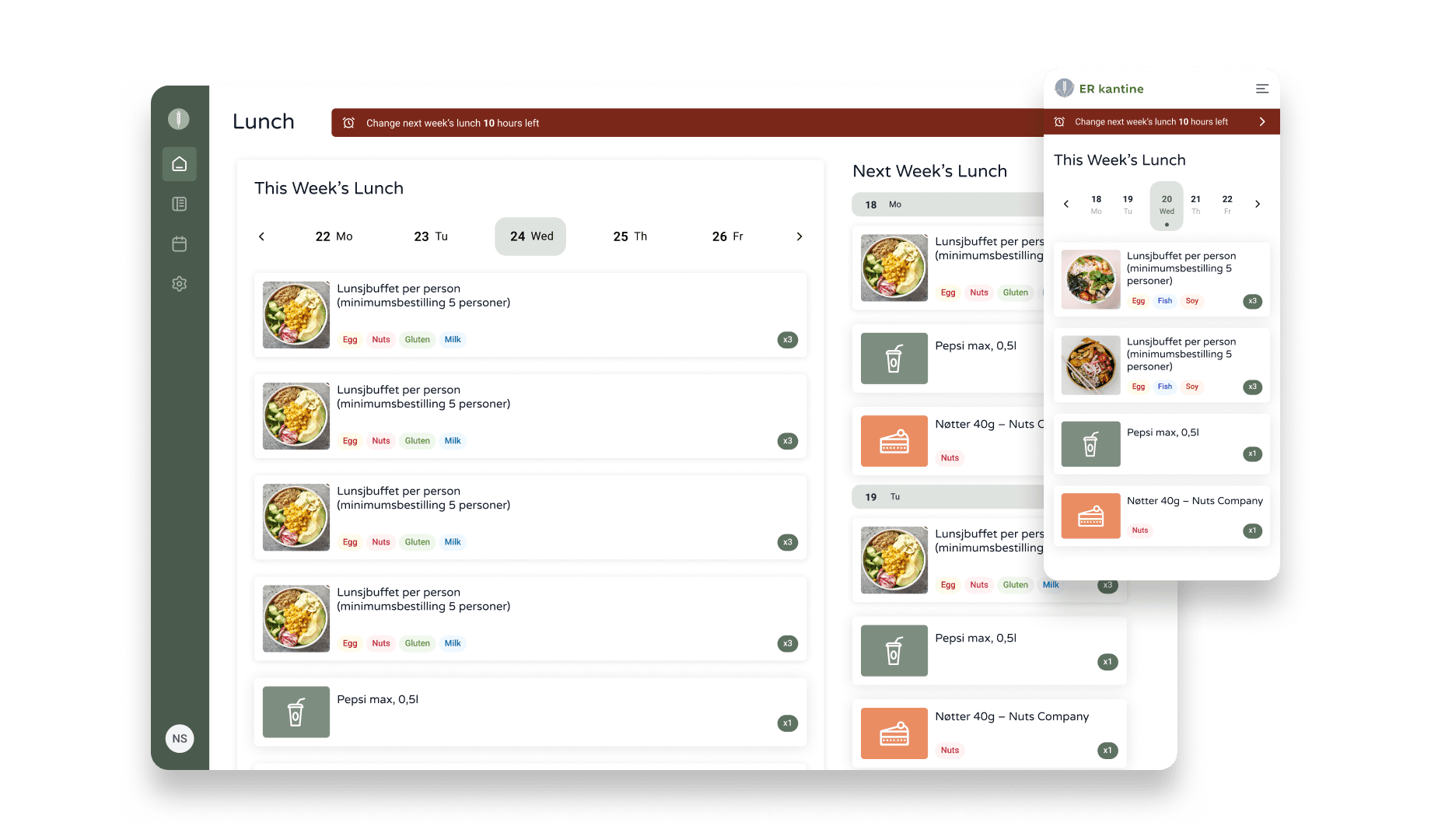
Food Scheduling Calendar
Users select weekly lunches and visualize their schedule on desktop and mobile devices. The order window runs Monday through Thursday for next week's selections.
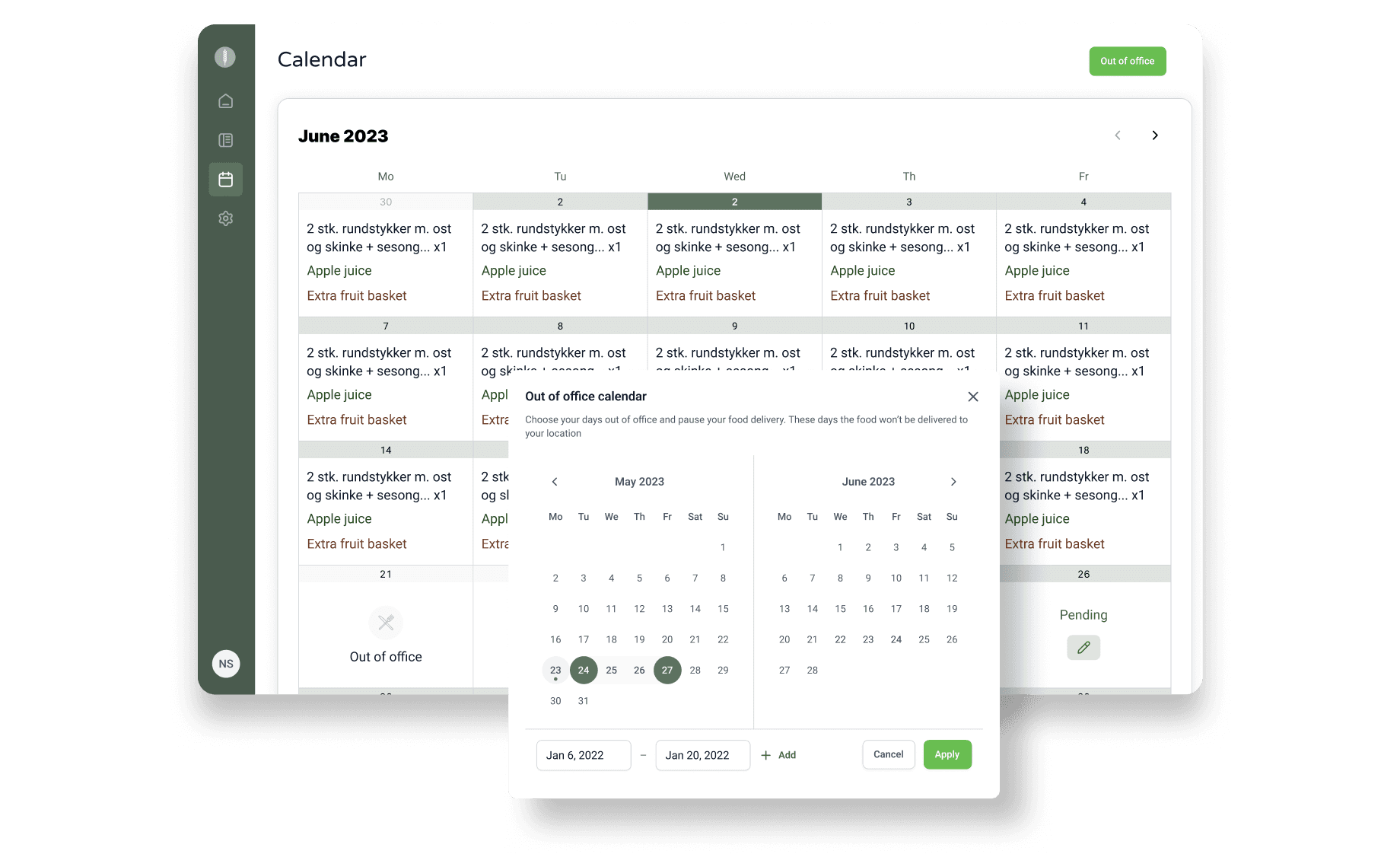
Out of Office
Users and supervisors set "meal vacation" periods during illness or holidays, preventing food waste. A calendar view shows all scheduled and pending orders at a glance.
Canteen Management
Kitchen dashboards display orders and delivery schedules. Staff receive daily order emails and weekly grocery purchasing lists. Reports can be downloaded and exported.
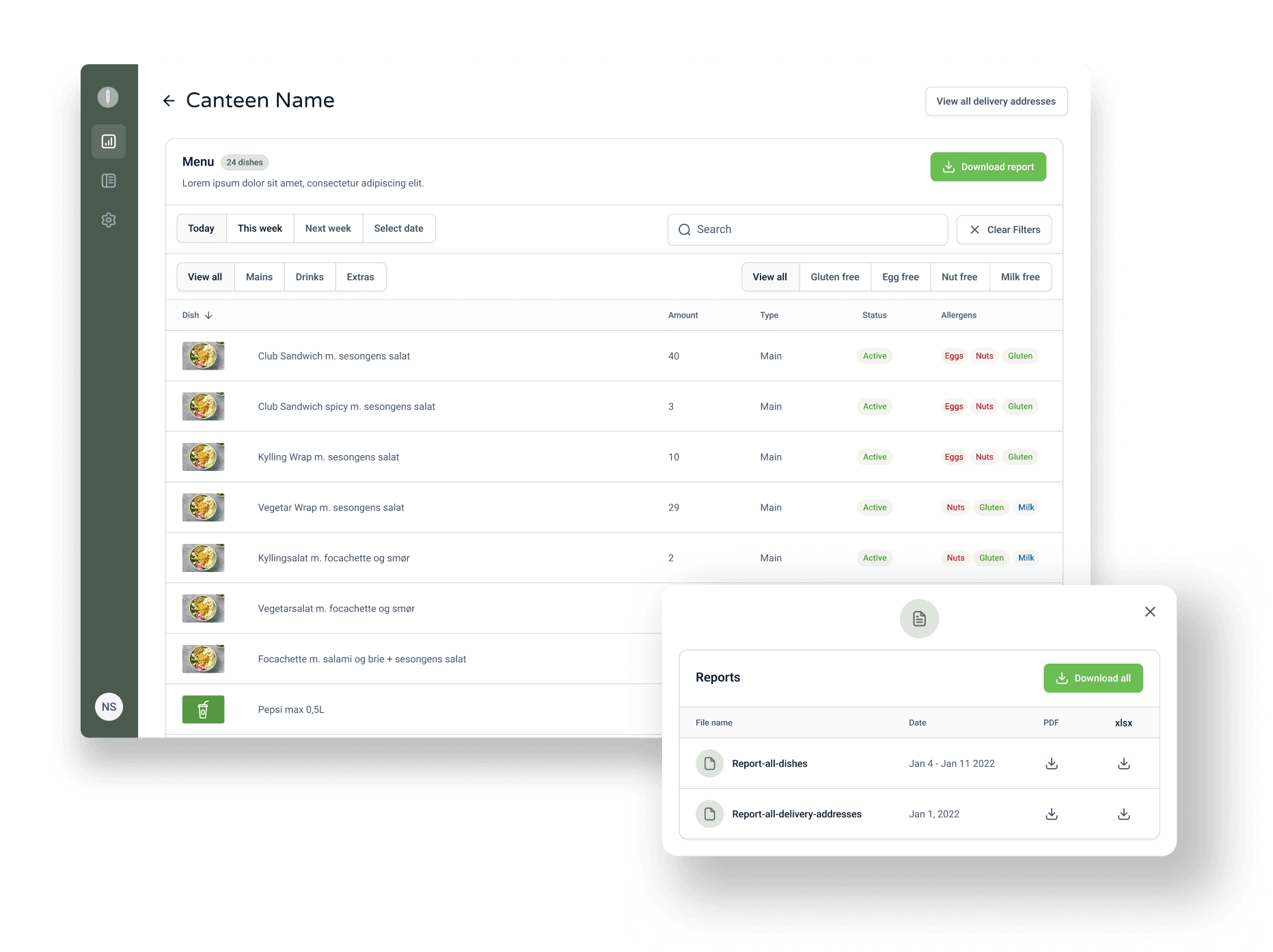
Scheduled Automatic Food Orders
Forgotten selections automatically repeat from the prior week, limited to two weeks to prevent database bloat. Mobile-first design lets end users confirm meals on the go.
Building for Quick Loading Speeds
Development prioritized low loading speeds. Orders carry over a maximum of two weeks to prevent database bloat affecting performance.
Email communications are handled via Sendgrid for daily kitchen orders and weekly purchasing reports. LunchBox was designed, developed, and tested in English, then translated to Norwegian.
Tools Used
The Outcome
Multi-Sided Platform
4 sides
Food provider, kitchens, customer companies, and end users, all connected through one platform
User Roles
5 roles
Distinct user roles with tailored dashboards and permissions for each stakeholder
Growing Adoption
100s
Hundreds of daily users across office workers throughout Norway with growing adoption
What the Client Says
Idea Link delivered the app on time, very communicative throughout, leveraging Slack. Team was efficient, trustworthy, collaborative, with outstanding development skills and customer understanding.
Vidar Bondevik
CEO of Gasta Design
30-min free consultation with our founder. No strings attached.

Contact us
Tell us about your business. We'll come back with a rough scope, timeline, and price — within one business day.

Rokas Jurkėnas
Founder & CEO
Complete the form and we will provide you with a price and time estimate for development after the call free of charge.